
Concordia Parish Wanted Notices
The official CPSO Most Wanted page belongs to the Concordia Parish Sheriff's Office itself. When we checked, it carried a single dated item: a notice about an inmate who escaped from Concordia Parish Corrections Facility I on Highway 15 in Ferriday on August 1, 2022. That slim roster tells you something. The page works as a selected public-safety board, not a catalog of every outstanding parish warrant.
The escape notice included a wanted-person image, identifying details, a phone route, a 911 instruction, and an anonymous tip option through the Concordia Parish SO app. It also warned readers not to confront the individual. CPSO posts no refresh schedule, no expiration rule, and no standing reward program. So a dated entry can linger after circumstances change. Verify current status with the sheriff, and remember the image is a law-enforcement identification photo, not necessarily a booking photo.
Nothing is copied or hosted here. The sheriff's own page keeps every image in its proper context, and the official CPSO Most Wanted source shows the full interface along with its safety directions.
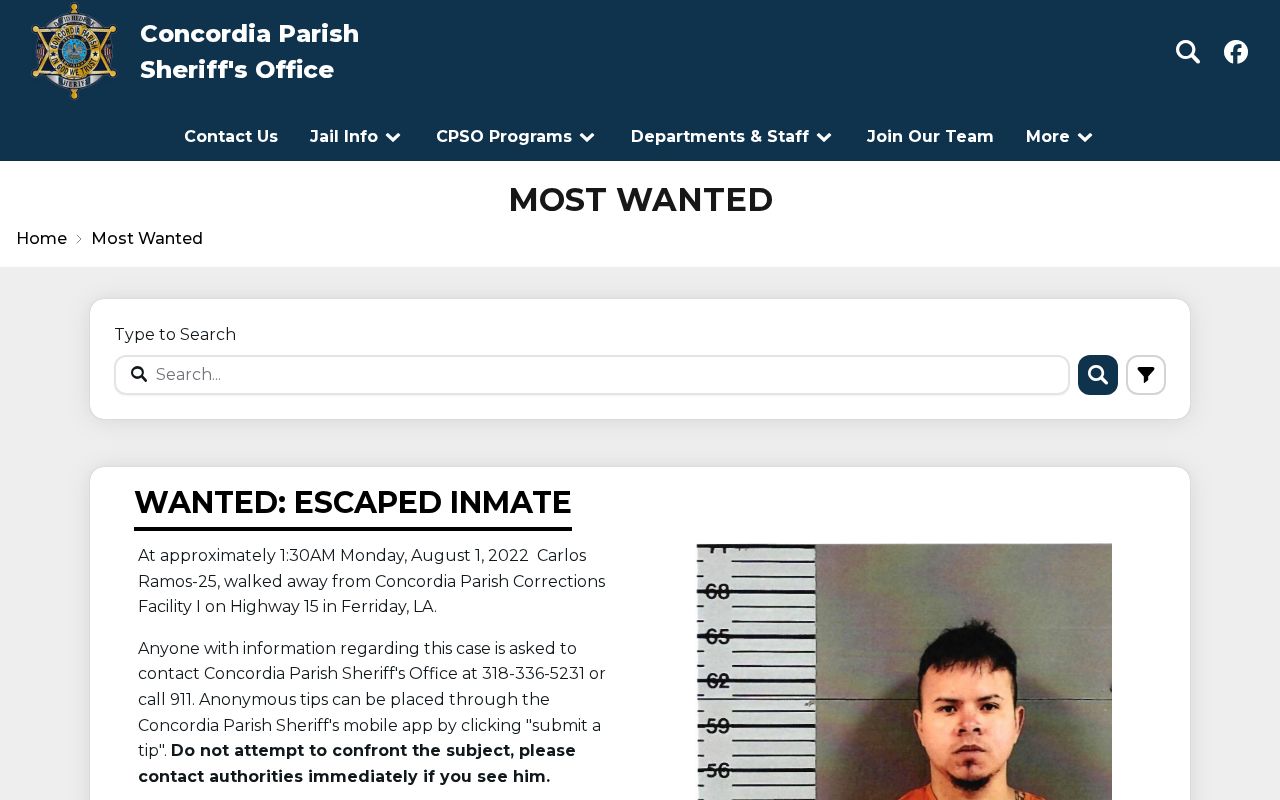
One point deserves emphasis. The sheriff, not a private gallery, is the source to consult and reconfirm anything found here.
Concordia Wanted Listing Fields
A CPSO wanted notice pairs identification with safety instructions. Read the whole item before acting. A headline alone cannot tell you who someone is, whether a warrant still stands, or whether the person is already in custody.
| Field | What it means |
|---|---|
| Notice title and date | Identifies the event and when CPSO published it, not when staff last reconfirmed the item. |
| Identification image | Helps identification on the official page; it is not necessarily a booking photograph. |
| Physical details | Descriptors supplied by law enforcement. Use the full set, not appearance alone. |
| Incident basis | Explains why the person is sought. It states an charge or custody event, not guilt. |
| Contact instructions | Directs information to CPSO, 911, or the anonymous app route. |
| Safety warning | Tells the public not to confront the person. |
Details shift over time. For current status, go to the sheriff or the issuing court. The docket records what happened after the warrant or arrest.
Use Concordia's Wanted List Safely
Start on the CPSO domain and keep your task simple: identification and reporting. An old screenshot or a secondary repost is never proof that someone is still wanted.
- Open the official Most Wanted page and note the notice date, wording, image, and identifying details.
- Compare all available details. A name or visual resemblance by itself is not enough.
- If the person is nearby and poses an immediate threat, move to safety and call 911. Do not approach or follow.
- For non-emergency information, call CPSO or use its official Submit a Tip route. Give facts, not guesses.
- After an arrest, use the Concordia Parish roster and booking sources to check current local custody. Absence from the roster may mean release, transfer, or no local booking.
A wanted page and a custody roster answer different questions. The first asks for help locating a highlighted person. The second shows who is currently held pretrial.
Concordia Wanted Tip Routes
CPSO offers several official reporting paths. The wanted notice points readers to the sheriff's public number or 911. Anonymous tips can go through the Concordia Parish SO app. For a stable web option, use the separate CPSO Submit a Tip form. No reward schedule or Crime Stoppers partnership is advertised. Expect no payment and claim none.
4001 Carter Street
Vidalia, LA 71373
(318) 336-5231
911 for an immediate threat
Specific tips work best. Give the location, direction of travel, and vehicle description. Add the time and only what you saw yourself. Never post a suspected location on social media, where it could endanger others or disrupt an official response.
Concordia Wanted Versus Warrants
CPSO runs two separate publications. The Most Wanted page is curated. When last seen, it held one dated escape notice. The official Concordia Parish warrants page works differently, with a name-search field, paginated cards, and dynamic detail links. Its first page showed five cards. Pagination reached page 281. That figure is not a count of unique active warrants, since duplicates and multiple entries per person can inflate the total. The warrant feed publishes no category legend, update time, recall rule, or dedicated warrants-unit phone. An entry proves only that CPSO published it. It does not prove the warrant remains executable or that the person is in custody. The distinction matters in practice. Searching the wanted page alone can miss entries sitting in the broader warrants system. Note: Treat both pages as starting points and confirm identity and live status with CPSO or the issuing court before relying on a result.
Check Concordia Parish Warrants
A name-specific warrant check starts with the CPSO feed. Then move to direct confirmation. Spelling and middle initials matter. A returned card may belong to someone else. An empty result does not mean no warrant exists. Court processing, name variations, and publication lag all shape what appears online.
- Search the CPSO Warrants page with the person's full legal name and try a careful variation if a middle name or suffix is uncertain.
- Open the detail record when available. Record the exact name and any case or warrant detail without treating the charge as fact.
- Call CPSO at (318) 336-5231 to ask how current status and identity can be confirmed. No separate current warrants-unit line was published.
- For a court-issued or bench matter, contact the Concordia Parish Clerk of Court for the underlying docket and issuing-court record.
- If the warrant may concern you, speak with a lawyer or the court about a safe, lawful resolution. Do not rely on website absence or try to avoid service.
The clerk's directory lists (318) 336-4204 for Concordia Parish. No public online case-search portal is available, so the clerk is the fallback for minute entries, final disposition, and the current court record.
Concordia Warrant Terms
CPSO does not say which warrant classes its feed includes. Common terms differ in meaningful ways, but only the entry and the issuing court can identify the actual authority behind a listing.
| Term | Basic distinction |
|---|---|
| Arrest warrant | A court order authorizing an arrest based on the underlying legal showing. |
| Bench warrant | An order issued by a judge, often tied to a missed court duty or failure to appear. |
| Failure to appear | A label connected to a missed required court appearance; confirm the docket and status with the court. |
| Recalled or resolved warrant | A warrant whose status may have changed. Only the issuing authority can confirm that change. |
Never guess a category from a name card. Ask CPSO or the court what the entry means and whether it is current.
Concordia Wanted App Alerts
Sheriff's-office updates now travel in pockets, not just on bulletin boards. The official Concordia Parish SO app pushes public-safety news, takes crime reports, and accepts tips. CPSO sells the app itself. The wanted notice highlighted one detail worth knowing: tips through the app are anonymous. One caution comes straight from the store listing. This tool is not for emergencies, so dial 911 when danger is immediate.
Treat the app as a supplement, not a replacement. It offers no dedicated daily warrant list, no booking-photo feed, and no app-only arrest roster, and no official source promises one. Facebook posts and site notices carry announcements too. Those can be edited or pushed down the feed fast. For anything that matters, confirm a name through the stable warrants page and the court that issued the order.
Concordia Warrant Court Outcomes
A wanted notice marks the start of a case. It is never the end. An arrest usually brings a first appearance, a bond decision, and a charging instrument. From there, the case can wind through arraignment, motions, a plea, trial, or dismissal before sentencing. The court's recorded result is the disposition. The sheriff's feed stops short of that full history.
For the later docket, contact the Concordia Parish Clerk of Court. Staff can pull the case number, minute entries, the bill of information or indictment, and the final outcome. Give them an exact name and a rough date of the event. Fees and access rules vary. Ask the clerk directly before you plan a visit.
Each source answers a different question. Timing matters too. A CPSO warrant card shows only what the sheriff publishes on the day you search. A roster result reflects current or recent custody in the jail's live system. A clerk file can show that a charge changed, an order was recalled, or the case closed. When records conflict, save the source URL, note the date, and go back to the issuing office.
Older matters need a narrower request. Give the clerk or sheriff a tight date range. Ask for the warrant, booking, and disposition records by name. CPSO publishes no warrants-unit phone line, no response deadline, and no fixed copy fee. So call the main office, name the exact record, and confirm the custodian and any cost up front. That beats trusting a stale web entry every time.
The smart play is a two-stage check. Start with CPSO to see what the sheriff has published about a wanted person or warrant. Then turn to the issuing court. There you can learn whether the order was recalled, the charge resolved, or the case adjudicated. Keeping the public-safety record and the legal outcome separate keeps you from confusing one for the other.
Public Record Search
Sponsored Results